无题
无题
ZhangCurryHugo博客搭建
主题推荐:
GitHub - dillonzq/LoveIt: ❤️A clean, elegant but advanced blog theme for Hugo 一个简洁、优雅且高效的 Hugo 主题GitHub - dillonzq/LoveIt: ❤️A clean, elegant but advanced blog theme for Hugo 一个简洁、优雅且高效的 Hugo 主题
部署
方案
Github Actions && Vercel
核心
Vercel 默认部署主分支,这里可以选择主分支存储Hugo打包之后的结果;博客在另外的分支编写(使用Hugo命令创建即可)。
下面在 docs 分支上存储Hugo原始博客,main 分支存储打包之后的结果。
Github Actions 脚本
2
3
4
5
6
7
8
9
10
11
12
13
14
15
16
17
18
19
20
21
22
23
24
25
26
27
28
29
30
31
32
33
34
35
36
37
38
39
40
41
42
43
44
45
46
47
48
49
50
51
52
53
54
55
56
57
58
59
60
61
62
63
64
65
66
67
68
69
70
71
72
73
on:
push:
branches:
\- docs
paths:
\- "content/**"
\- "hugo.toml"
\- "themes/**"
\- ".github/workflows/deploy.yaml"
\- "!README.md"
\- "!docs/**"
jobs:
deploy:
runs-on: ubuntu-latest
steps:
\- name: Checkout
uses: actions/checkout@v4
with:
fetch-depth: 0
submodules: true
\- name: Setup Hugo
uses: peaceiris/actions-hugo@v3
with:
hugo-version: "0.145.0"
extended: true
\- name: Build Web
run: hugo --gc --minify
\- name: Deploy Web
uses: peaceiris/actions-gh-pages@v4
with:
github_token: ${{ secrets.DEPLOY_KEY }}
publish_branch: main
publish_dir: ./public
user_name: "github-actions[bot]"
user_email: "github-actions[bot]@users.noreply.github.com"
commit_message: ${{ github.event.head_commit.message }}上述脚本核心注意点:
触发条件:README.md 和 docs/ 的变动不触发,其余配置的变动触发 Action;
Hugo 版本指定,最好指定本地 Hugo 的版本;
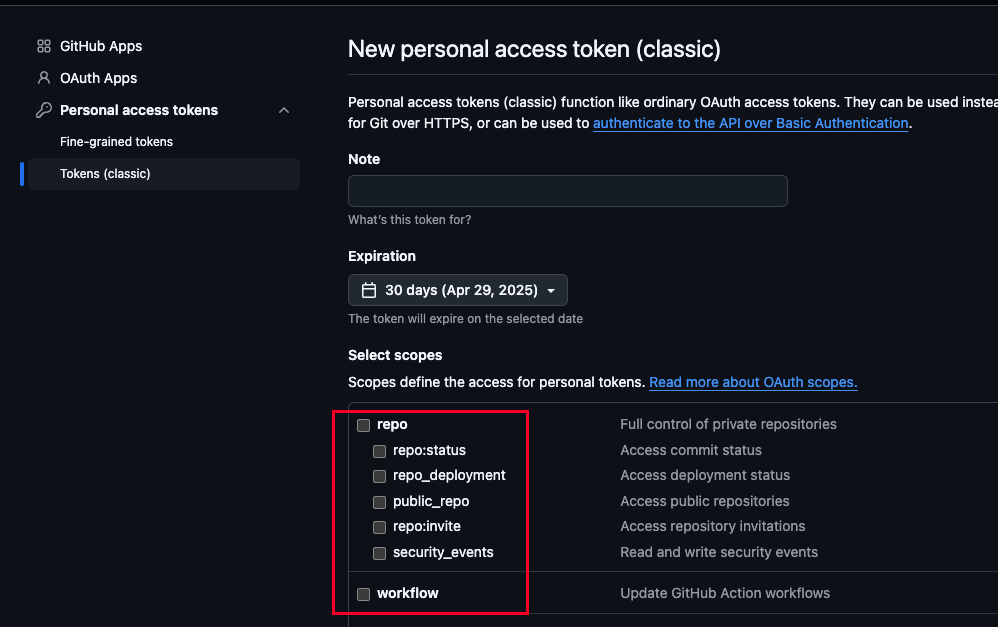
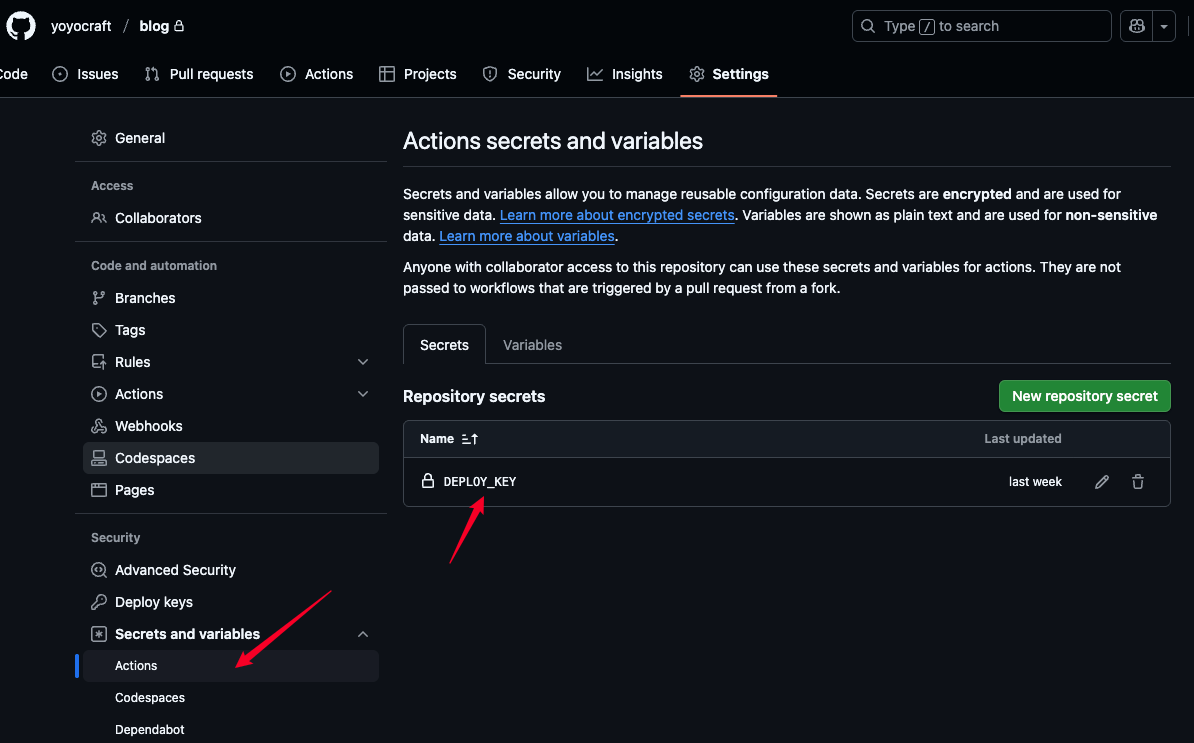
DEPLOY_KEY 为 Github Token,[创建链接],注意勾选上 repo 和 workflow 权限,将生成的 Token 配置到博客仓库的 /settings/secrets/actions 中
Vercel 部署
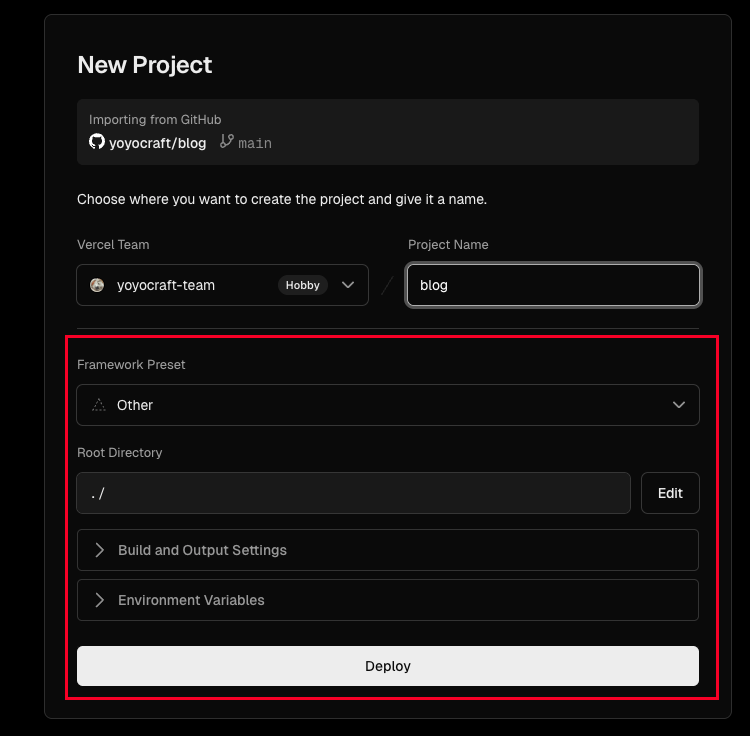
Vercel 部署时,导入 Github 仓库即可,部署时也不需要选择任何框架的部署方案,因为主分支已经是 Hugo 打包之后的结果,直接部署即可
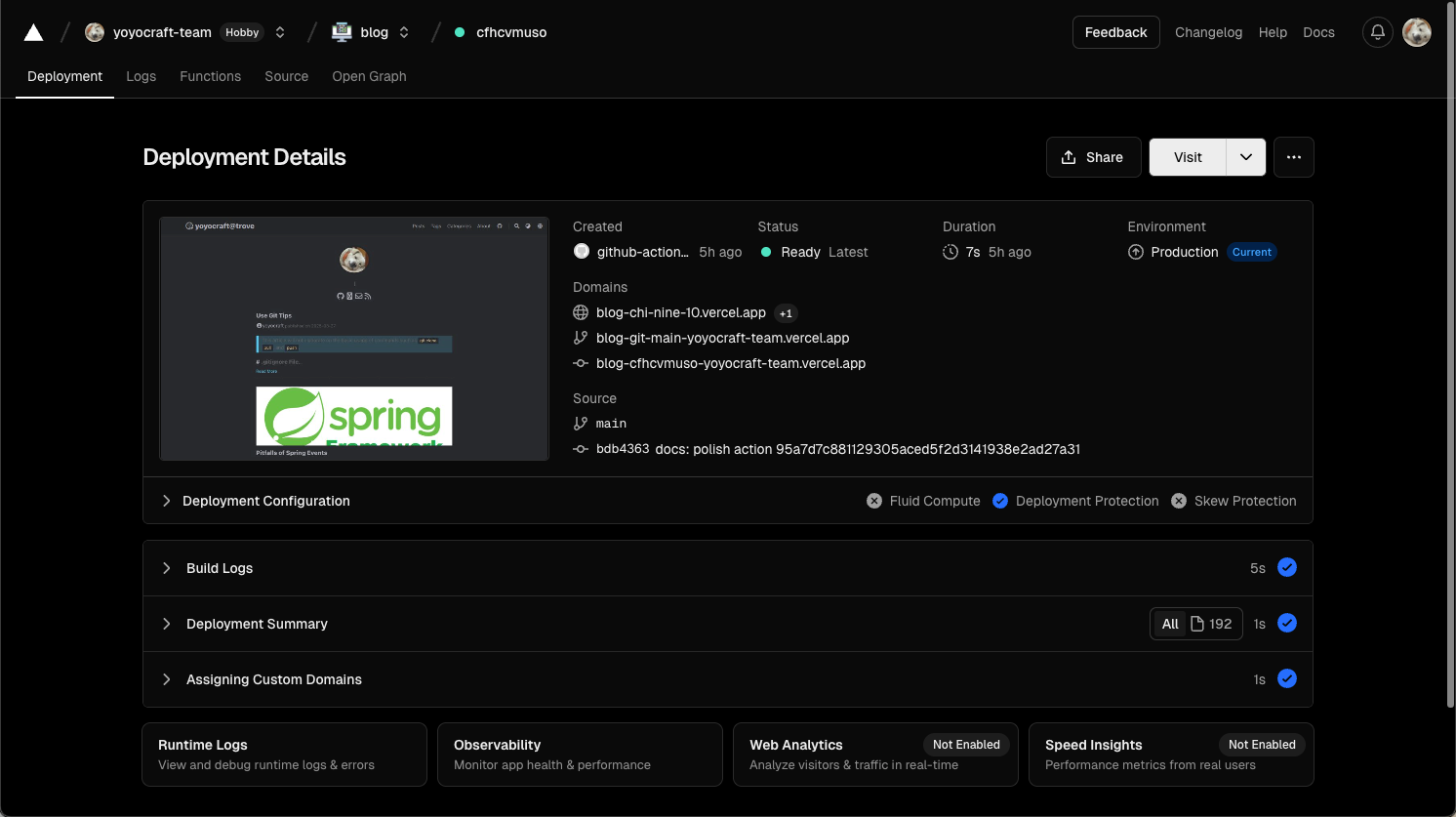
部署结果: